





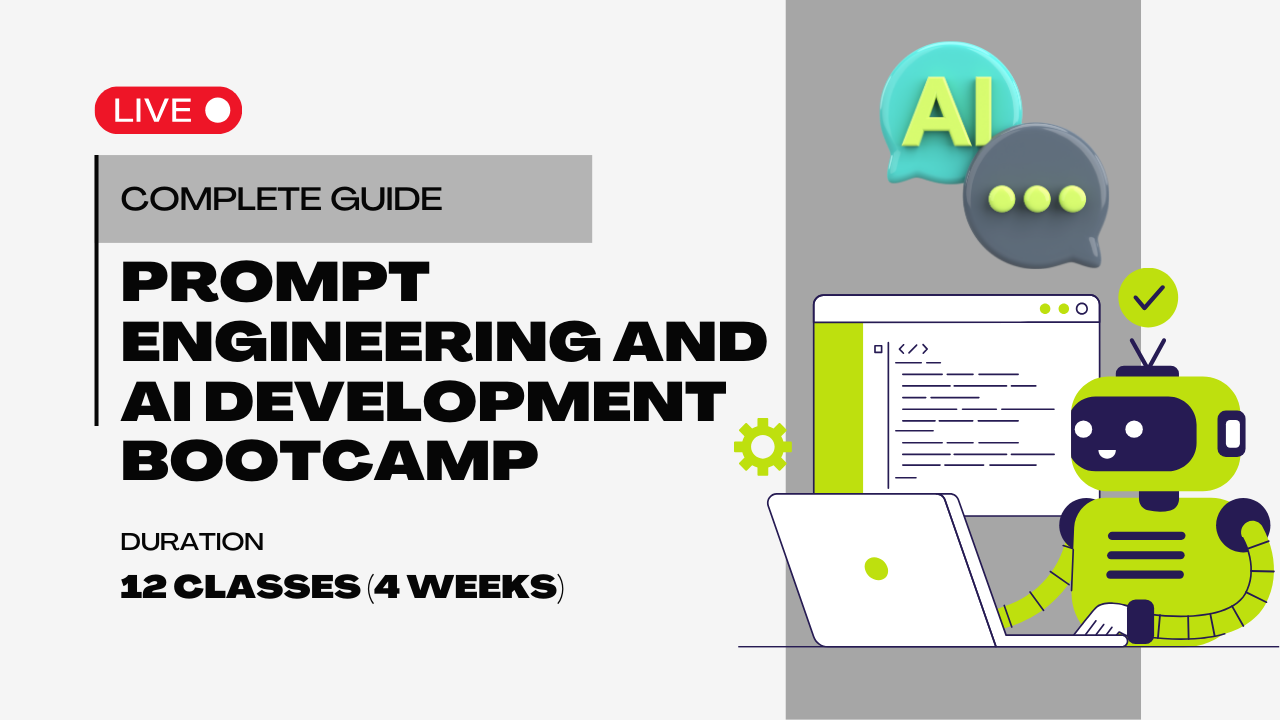



















Guide to Prompt Engineering and AI Development Bootcamp

Learn to build with the most powerful AI tools on the market. This course gives you the practical coding skills to integrate and leverage GPT-4, Stable Diffusion, and GitHub Copilot in your work, bridging the gap between theory and professional application.

4.5/5
1000+ Students
Beginner
12 Classes (4 Weeks)
Available Coaching Centers:
No coaching centers found in this location. Please try another area.

School

₹ 199/class

₹ 399/class

Any Query?

Course Description

Master the Future of AI: Your Complete Guide to Professional Development

Be ready to move from simply using AI to mastering it? Prompt Engineering and AI Development Bootcamp is your essential training for a career in the dynamic world of artificial intelligence. This intensive course is designed to equip you with the practical skills and strategic insights to get reliable, high-quality results from the most advanced AI models. You'll transform from an enthusiast into a proficient AI Engineer ready to tackle real-world challenges.

What You'll Learn

This bootcamp is more than a list of commands—it's a comprehensive exploration of the principles that drive AI success. You will gain a deep understanding of how to influence and control leading-edge technology.

  • Become a Prompting Expert: Develop an in-depth understanding of the leading AI tools like GPT-4, Stable Diffusion, GitHub Copilot, Midjourney, and DALL-E. You'll learn the core techniques for crafting effective prompts that guide these models to produce professional-grade content.

  • Grasp the Technical Fundamentals: Dive into the key concepts that govern AI behavior. You'll master the role of tokens and log probabilities, and learn advanced methods to overcome common issues like AI hallucinations and token limitations. This foundational knowledge is crucial for working in the AI industry.

  • Build a Portfolio of Projects: Put theory into practice with over 15 hands-on projects. From generating SEO blog articles and high-quality stock photos to performing complex sentiment analysis, you will build a robust portfolio that showcases your ability to apply AI to tangible business problems.

  • Code for Scalability: This program has a strong focus on practical coding. You will learn the Python coding patterns and essential AI tooling, including Langchain and AUTOMATIC1111, necessary to deploy and manage AI models in production environments.

Who This Bootcamp Is For -

This program is for ambitious individuals committed to excelling in the field of AI.

  • Developers and Coders: Enhance your existing skills by learning to integrate AI into your workflows, ensuring more predictable and reliable results for your projects.

  • AI Enthusiasts: If you're currently using AI tools and want to advance to more technical, large-scale applications, this course provides the perfect path.

  • Future AI Engineers: For those who want to stay at the forefront of the AI industry, this bootcamp provides the most current techniques and skills required for a successful career.

By the end of this course, you will possess the expertise to confidently take on a role as a professional AI Engineer.

  • Introduction & Course Overview – A quick look at what the course is about and what you will learn.
  • What is Prompt Engineering? – Understanding the basics of creating good prompts to get better results.
  • Accessing Resources & AI Prompt Pack – How to use the provided resources and a pack of ready-made prompts.
  • Optional Coding Resources (GitHub + Videos) – Extra coding materials for those who want to go deeper.
  • AI Resource Hub – A collection of helpful links, guides, and tools to support your learning.
  • Curriculum Summary – A wrap-up of the topics and skills covered in the course.

  • Give Direction – Clearly explain what outcome you want so the task doesn’t go off track.
  • Specify Format – Decide how the answer should be presented, like in bullets, tables, or paragraphs.
  • Provide Examples – Show samples to make your expectations clearer and easier to follow.
  • Evaluate Quality – Review the response and check if it meets your needs, then refine if required.
  • Divide Labor – Break big or complex tasks into smaller, manageable parts for better results.
  • Apply Together – Combine all five principles in practice, using worksheets or quick reference notes.

  • What are Tokens?
    Tokens are small pieces of text (like parts of words or symbols) that computers use to process language. Understanding tokens helps explain why some answers are longer or shorter.
  • AI Hallucinations:
    Sometimes, the system may give answers that sound correct but are actually made up or inaccurate. These are called hallucinations, and it’s important to know how to spot them.
  • Chat Models vs Reasoning Models:
    • Chat Models: Best for general conversation, answering questions, and simple tasks.
    • Reasoning Models: Built to solve more complex problems by breaking them into steps and giving deeper explanations.

  • Introduction to ChatGPT:
    Learn what ChatGPT is and how to ask it questions in the right way to get better answers.
  • Capabilities & Limitations:
    Understand what ChatGPT can do (like searching, researching, and handling data) and where it has boundaries.
  • Interactive Features:
    Explore how to create useful tables, make images, and use a workspace (canvas) for organizing ideas.
  • Advanced Modes:
    Discover extra options like using ChatGPT as an assistant (agent mode), setting your own instructions, and using shortcuts for quick access.
  • Productivity Tools:
    Learn about memory (to save information), scheduled tasks (to set reminders or actions), and the desktop app for easier access.
  • Vision & Visual Prompts:
    Find out how ChatGPT can understand pictures and how to guide it step by step to get the right visual outputs.
  • Learning & Customization:
    Use ChatGPT for study help, and learn how to build your own customized version through the GPT Store.

Role Prompting:
Learn how to assign a role or style to the response (for example: teacher, guide, or storyteller).

Different Output Formats:
Understand how to get answers in formats like lists, tables, summaries, or detailed explanations.

Creative Prompting Methods:
Techniques like “Least to Most,” “Explain It Like I’m Five,” and “Meta Prompting” to simplify or expand responses.

Handling Long Answers:
Ways to overcome limits on length and get complete information without cutting off.

Writing Clear Instructions:
Learn to give detailed steps, set boundaries with delimiters, decide the length, and guide the answer clearly.

Step-by-Step Thinking & Context:
Use prompts that encourage logical step-by-step answers and request extra context when needed.

Advanced & Coding Prompts:
Explore methods like pre-warming chats, handling token limits, prompt injection, and automatic prompt engineering (for coding use).

Getting Started with OpenAI:
Learn about OpenAI features, how to create an account, set up an API key, and explore the Playground to try things out.

Exploring the Platform:
Understand the layout of OpenAI’s platform, different services offered, and how responses and messages work.

Working with Coding Notebooks:
Discover how to use coding notebooks to test different OpenAI services in one place.

Counting & Managing Tokens:
Learn what tokens are, how to count them, and how to manage message history properly.

Handling Responses:
Find out what streaming means, how to deal with limits and retries, and the difference between chat completions and responses.

Using Tools & Functions:
Understand how to call tools (functions) and even build a simple agent that can use them effectively.

Improving Performance:
Learn how to handle many requests at the same time using parallelization to make processes faster.

Understanding Vector Embeddings:
Learn how information can be turned into numbers so that similar ideas or words can be grouped together.

Information Retrieval with Vector Databases:
Discover how special databases store these numbers and quickly find related information when needed.

Vector Databases with Pinecone:
See how one popular database (Pinecone) works to organize and search information efficiently.

RAG with Supabase PGVector (Coding):
Explore how another tool (PGVector in Supabase) can be used for combining stored knowledge with fresh data.

Role & Emotion Prompting:
Learn how to shape responses by giving a role (like teacher, coach, or expert) and how to bring emotions or tone into the output.

Thinking Methods:
Explore ways to guide step-by-step reasoning, including “chain of thought” and learning from examples inside the conversation.

Advanced Reasoning:
Understand methods like self-consistency sampling (checking multiple answers) and ReAct (reasoning combined with taking action).

Personas of Thought:
See how different thought “styles” or personalities can be applied to get varied perspectives.

Prompt Optimization:
Learn how to refine, test, and adjust prompts to get more useful and consistent results.

Structured Outputs:
Discover how to organize answers into clear structures like lists, tables, or defined formats.

Caching & Real-Time Use:
Find out what prompt caching is, how it works in practice, and explore a real-time example with OpenAI tools.

Getting Started with LangChain:
Introduction to what LangChain is and how to install it on your system.

Working with Chat Models:
Learn how to use chat models and set up prompt templates for smoother conversations.

Handling Outputs & Large Texts:
Explore streaming responses, organizing outputs with parsers, and summarizing big pieces of text.

Managing Documents:
Understand how to load documents, split them into parts, and tag them for easy use later.

Tracking & Hubs:
Learn how to trace your work with LangSmith and share or find resources through the LangChain Hub.

LCEL – Building Blocks:
Discover the LCEL system: working with chat models, message history, building multiple chains, and using branching, merging, and configurable fields.

Databases, Agents & Tools:
See how LangChain connects with vector databases, indexing, and how to create agents that can use different tools.

Introduction to LangGraph:
Get an overview of LangGraph and how it works.

Building Simple Flows:
Learn how to create basic flows to connect steps in a process.

Tools & Data Handling:
Understand how to use tools within LangGraph and keep information saved for later use.

Working with State:
Explore how to update, manage, and customize the “state” that tracks progress during a flow.

Special Features:
Learn about time travel (reviewing past states) and self-corrective RAG for improving results.

Extra Exploration (Advanced Branching/Subgraphs):
Additional advanced topics you can explore in your own time.

Akash Singh

Instructor Photo
  • 0 Instructor Rating
  • 0 Reviews
  • 0 Students
  • 0 Courses
Hi I want to join your Team as AI Educator!

Satendra Patel | Robotics Instructor

Hey there! Learn with me in a gamified way.
Instructor Photo
  • 4.2 Instructor Rating
  • 100+ Reviews
  • 200+ Students
  • 10+ Courses

I am a Robotics Teacher with experience in teaching STEM concepts through hands-on, engaging lessons designed for young learners. I specialize in simplifying complex topics into practical, easy-to-understand activities that emphasize creativity, critical thinking, and real-world problem solving. I have successfully taught 200+ students aged 10–13 across India, the US, UK, and Canada using platforms such as Arduino, Raspberry Pi Pico, and Micro:bit. Along with teaching, I also contribute to curriculum design to make learning accessible and impactful.

Passionate about making technology learning exciting and future-ready, I am committed to preparing students through interactive methods and practical projects. My student-centric and detail-oriented teaching approach ensures that every learner feels supported and inspired.

Educational Qualification – Pursuing B.Tech in Computer Science and Engineering from Lovely Professional University with a CGPA of 8.16

Experience – 1+ year in Moonpreneur, delivered live online robotics sessions  

Anjali Gupta | Robotics and AI Educator

Learn Robotics and AI With me
Instructor Photo
  • 4.5 Instructor Rating
  • 100+ Reviews
  • 200+ Students
  • 15+ Courses

Anjali is a Robotics and AI Trainer who simplifies complex concepts into engaging, hands‑on lessons for young learners. She has taught more than 200+ students across Lucknow using Arduino, Pictoblox, Tinkercad. Classes emphasize creativity, critical thinking, and real‑world problem solving. She also contributes to curriculum design to make learning accessible and impactful.

She holds B.Tech from AKTU, with a focus on Web Development. Teaching is student‑centric and detail‑oriented, supported by projects. She delivered live and interactive sessions and supported diverse learners. 
Mission: to make technology learning exciting, inclusive, and future‑ready for every student.

Leave a Review

Prompt Engineering

School

₹ 199/class

₹ 399/class

Any Query?

Course Includes
Lectures
12 Classes
Duration
4 Weeks
Level
Beginner
Language
English/Hindi
Certificate
Yes
Available Coaching Centers:
No coaching centers found in this location. Please try another area.
Course Includes
Lectures
10 Classes
Duration
N/A Hours
Level
Beginner
Language
English
Certificate
Yes

What you need/Requirement

requirement image
Basic Digital Skills

Ability to login, navigate the portal, watch videos, download materials, make notes, and submit assignments.

requirement image
Note Making

Students should keep a Notebook and Pen to make their own notes while learning.

requirement image
Internet Connection

Stable Internet with at least 2 Mbps speed for smooth video streaming and interactive content.

requirement image
Device

Smartphone, Tablet, Laptop or Desktop Computer.

Learning Path

Beginner

Start with fundamental concepts and build a strong foundation.

Intermediate

Expand your knowledge and start building real projects.

Advanced

Dive deep into specialized areas and master complex techniques.

Master

Achieve expert-level proficiency and innovate with your skills.

CERTIFICATION

Earn Valuable Credentials
and Lead with a Competitive Edge.

🛡️

Certificate and Recognition That Validates Your Skills

Our curriculum is meticulously designed in collaboration with industry leaders to ensure every skill you acquire is not just current, but in high demand.

🔗

Get Mentorship From Top 1 % Industry Experts

Our mentors are seasoned professionals and thought leaders who provide unparalleled guidance and personalized feedback.

🧑‍🎓

Network For Lifelong Success

Our vibrant community of professionals offers continuous support, mentorship, and a platform for lifelong career acceleration.

Certificate

Explore Similar Topics

Discover more similar content to expand your knowledge and sharpen your skills.

Capstone Project
Capstone Executive Diploma in ML & AI
1
Explore and Imagine
Get introduced to the core concepts of professional AI development
2
Build and Create
Move from theory to practice by building a portfolio of hands-on projects.
3
Learn and Showcase
Share your robust portfolio of professional AI applications.
Book a free Demo

  • Engaging content from top educators and industry pros.
  • A built-in platform to practice skills in real-time.
  • Get your questions answered directly by teachers and experts.
  • Instant doubt resolution
  • Integrating Your AI Teammate
  • Instant doubt resolution
  • One-on-one guidance to help you succeed
  • Dedicated program coaches
  • Connect with fellow students and share ideas
  • Personalized progress tracking
  • Mock interviews with professionals
  • Access special workshops and events to boost your skills
  • Discover different career paths and find your passion
  • Build a portfolio of your best work to show off your skills
  • Join discussion forums to meet and collaborate with other students.
  • Work with friends on exciting group challenges.
  • Exclusive alumni network
01
Master Your First "Power Prompt"
The journey begins by learning the deep principles of prompt engineering. You'll move beyond simple questions to craft precise instructions that get professional-grade results from GPT-4.
02
Grasping the Technical "Why"
Guided by expert instruction, you'll learn the fundamentals that govern AI behavior. You'll master tokens and log probabilities to understand why AI responds the way it does and how to control it.
03
Becoming a Visual Architect
Once comfortable with text, the focus shifts to mastering generative art. You'll dive deep into Stable Diffusion and Midjourney, learning to create high-quality stock photos and complex visual concepts.
04
Building Your First Scalable App
This is where you become an engineer. Using Python and Langchain, you will build your first multi-step AI application, like an automated content generator or a complex sentiment analysis tool.
05
Integrating Your AI Teammate
Go beyond simple code generation with GitHub Copilot. You'll learn to integrate it fully into your workflow, using it as a strategic partner to build, debug, and optimize your projects.
06
Deploy Like a Pro & Build Your Portfolio
After completing all 15+ projects, you will have mastered the tools and built a powerful portfolio. You'll be ready to confidently take on real-world challenges as a professional AI Engineer.
Custom-Made for Every Learner
Key Features: ChatGPT & Generative AI – The Complete Guide
Personalised learning
Code-Heavy & Practical
Personalised learning
15+ Portfolio-Building Projects
Personalised learning
Master Top-Tier AI Tools
Personalised learning
Real-World Business Applications
Personalised learning
Develop Career-Ready AI Skills

FAQs on Guide to Prompt Engineering and AI Development Bootcamp

This bootcamp teaches practical ways to give clear instructions to computer programs, so they can do specific tasks more easily. It covers how to guide technology step by step and use it for things like creating games or solving everyday problems.

Anyone interested in technology can join, even without special technical knowledge. The course starts with the basics and explains ideas with simple examples for all learners.

You will learn how to write clear instructions, work on simple projects, and practice real-life examples, like making a game or solving small problems. There’s also a focus on hands-on tasks so you can build and learn at the same time.

Most bootcamps welcome beginners and explain things in easy words, so previous coding experience is not required. If coding is needed, they usually teach the basics right away, making it friendly for everyone.

After completing the bootcamp, you’ll be able to give better instructions to computers and create useful, small technology projects by yourself. These skills can also help in many jobs where technology is used and make you more confident around digital tools.